Manual de instrucciones de uso e instalación Cuvex BIT
Ya disponible desde nuestra tienda oficial
Cuvex BIT incluye:

Dispositivo Cuvex precintado con 2 sellos de seguridad inviolable para máxima protección.
- 1 Cuvex BIT Device.
- 1 High-quality USB-C Cable.
- 3 NFC Cards ready to encrypt your seed phrase or cold wallet.
- 1 MicroSD Card for cryptograms with biometrics.
- 1 USB-C to MicroSD adapter.
- 1 Set of 4 colored dice, to generate your seed phrase with physical. entropy, manual, sovereign, and truly random.
- 1 Exclusive CUVEX Sticker.
- 1 Welcome Card with a QR Code to the user manual.
- 1 Warning Card.
El dispositivo Cuvex BIT introduce las siguientes novedades respecto al Cuvex original:
-
Comunicación exclusiva por USB-C con la App Cuvex para smartphone.
-
Control de acceso biométrico opcional para el descifrado de criptogramas.
Los criptogramas pueden crearse con o sin biometría. La biometría actúa como un parámetro adicional a la contraseña de cada firmante. Es decir, siempre se requiere la contraseña de cada firmante y, de forma opcional, también su autenticación biométrica. Este mecanismo obliga a la presencia física de todos los firmantes requeridos.
Importante:
Los criptogramas que incorporan biometría no pueden descifrarse con la App de escritorio Cuvex. Para su descifrado será siempre necesario un dispositivo Cuvex BIT con lector de huellas dactilares.
-
Almacenamiento de criptogramas en el elemento seguro del smartphone a través de la App Cuvex.
Desde la App, los criptogramas pueden clonarse a distintos soportes según su tipo:
Criptogramas sin biometría, monofirma y multifirma con todos los firmantes obligatorios:
-
Tarjetas Cuvex estándar
-
Memorias externas USB-C (tipo pendrive)
Criptogramas multifirma X de 6 sin biometría, donde no todos los firmantes son obligatorios:
-
Tarjetas Cuvex 8K
-
Memorias externas USB-C
Criptogramas con biometría:
-
Únicamente pueden clonarse a memorias externas USB-C conectadas al smartphone.
Compatibilidad funcional
El dispositivo Cuvex BIT mantiene exactamente la misma funcionalidad y los mismos flujos de trabajo operativos que el dispositivo Cuvex original.
La única diferencia relevante, y la que se aborda en este manual, es el método de comunicación entre el dispositivo Cuvex BIT y la aplicación móvil de Cuvex.
A continuación se describen los cambios específicos en los flujos de trabajo necesarios para utilizar correctamente Cuvex BIT.
Conectividad y requisitos de uso
El dispositivo Cuvex BIT se comunica exclusivamente a través de USB-C.
No incorpora conectividad Bluetooth ni NFC.
Por ello, todos los flujos de trabajo deben realizarse con el dispositivo conectado desde el inicio a la aplicación móvil de Cuvex mediante un cable USB-C.
Requisitos obligatorios
Para utilizar Cuvex BIT es necesario disponer de:
-
Un smartphone Android o iPhone con puerto USB-C.
-
La aplicación móvil de Cuvex instalada.
El puerto USB-C del smartphone proporciona tanto la alimentación eléctrica como el canal de comunicación de datos necesario para la interacción entre el dispositivo Cuvex BIT y la aplicación.


AVISO DE SEGURIDAD – ALIMENTACIÓN Y USO
El dispositivo Cuvex está diseñado para funcionar cuando se conecta a un smartphone compatible o a una fuente de alimentación USB certificada equivalente que proporcione 5 V CC y hasta 250 mA.
El puerto USB-C proporciona tanto la alimentación eléctrica como el canal de comunicación de datos necesario para interactuar con la aplicación de Cuvex.
No conecte el dispositivo a fuentes de alimentación no certificadas, defectuosas o que carezcan de las protecciones eléctricas adecuadas. El uso de fuentes de alimentación que no cumplan las características eléctricas especificadas puede generar condiciones eléctricas peligrosas, incluido el riesgo de descarga eléctrica.
El funcionamiento fuera de las condiciones especificadas constituye un uso fuera de los parámetros para los que el dispositivo ha sido diseñado y puede comprometer las medidas de seguridad integradas en el mismo.
Lógica de comunicación
El dispositivo Cuvex BIT no establece un canal de comunicación directo con la aplicación de Cuvex.
En su lugar, crea dinámicamente una unidad de almacenamiento USB externa que el smartphone y la aplicación utilizan para intercambiar archivos. A efectos prácticos, el dispositivo se comporta como una memoria USB virtual.
Esta unidad de almacenamiento:
-
Se identifica con el nombre "Cuvex".
-
Contiene una carpeta interna denominada también "Cuvex".
-
Es creada y desmontada automáticamente por el dispositivo en cada proceso que la requiere.
Para que la aplicación pueda leer o escribir datos, el usuario debe autorizar explícitamente el acceso tanto a esta unidad de almacenamiento como a la carpeta "Cuvex" mediante el gestor de archivos del sistema operativo del smartphone.
Su funcionamiento es equivalente al de conectar una memoria USB externa al smartphone, con la diferencia de que:
-
La unidad USB se denomina Cuvex.
-
La carpeta compartida se denomina Cuvex.
-
Su funcionamiento está controlado íntegramente por el propio dispositivo Cuvex BIT.
Recomendaciones para iniciar los flujos de trabajo
Flujos de trabajo que deben iniciarse desde el dispositivo Cuvex BIT
Se recomienda iniciar desde el propio dispositivo aquellos procesos que requieren que la unidad de almacenamiento USB esté montada previamente, como por ejemplo:
-
Actualización del firmware.
-
Descifrado de criptogramas.
-
Firma de transacciones PSBT.
Cuando estos procesos se inician desde el dispositivo, este crea automáticamente la unidad de almacenamiento y la carpeta compartida, quedando a la espera de que la aplicación escriba la información necesaria.
Flujos de trabajo que pueden iniciarse directamente desde el dispositivo
Procesos como:
-
Cifrado de secretos.
-
Creación de una wallet de Bitcoin.
pueden iniciarse directamente desde el dispositivo. Una vez finalizados, la aplicación podrá acceder a la carpeta compartida creada para recuperar la información correspondiente.
En todos los casos, tanto la aplicación como el dispositivo guían al usuario indicando cuándo debe iniciarse el siguiente paso en el otro extremo y cuándo es necesario autorizar el acceso de lectura o escritura. Todo el flujo de trabajo ha sido diseñado para ser claro, intuitivo y sin ambigüedades.
Resumen operativo
-
Todos los flujos funcionales del Cuvex BIT son equivalentes a los del dispositivo Cuvex original.
-
La única diferencia reside en el método utilizado para importar y exportar la información.
-
En el dispositivo Cuvex original, los criptogramas se exportaban mediante NFC.
-
En Cuvex BIT, los criptogramas se exportan a través de USB-C hacia la aplicación de Cuvex, donde: Se almacenan en el elemento seguro (Secure Element) del smartphone.
Pueden clonarse en:
Tarjetas NFC (únicamente criptogramas sin biometría).
Dispositivos de almacenamiento externos USB-C (todos los tipos de criptogramas).
Las comunicaciones permanecen completamente aisladas, ya que:
-
No existe un canal de comunicación directo entre la aplicación y el dispositivo.
-
Únicamente se intercambian archivos a través de una carpeta controlada por el propio dispositivo Cuvex BIT.
-
Los datos intercambiados están cifrados o corresponden exclusivamente a metadatos no sensibles.
SOPORTE ADICIONAL
En los video tutoriales disponibles podrá ver de forma práctica cómo:
-
Autorizar la carpeta compartida
-
Establecer la comunicación USB-C
-
Ejecutar correctamente los flujos entre el dispositivo y la App
Para el resto de funcionalidades internas (pantalla por pantalla), puede consultar el manual del Cuvex original, ya que ambos dispositivos comparten exactamente los mismos procesos, salvo los descritos en este documento.
1. Primer paso. Cómo instalar el firmware en el dispositivo

2. Cifrar una frase semilla o un secreto de texto con o sin biometría
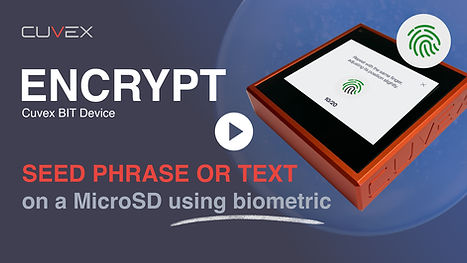

En este video verás el ejemplo concreto de como se encripta una frase semilla y se envía al elemento seguro de tu smartphone haciendo la copia de seguridad en una tarjeta MicroSD usando biometría mono firma en el proceso.Haciendo este mismo flujo también puedes encriptar un secreto en texto plano o un Wallet BTC creado con entropía soberana mediante el procedimiento Dados y Moneda.
En este video verás el ejemplo concreto de como se encripta un texto plano en el elemento seguro de tu smartphone haciendo la copia de seguridad en una tarjeta NFC sin usar biometría. Haciendo este mismo flujo también puedes encriptar una frase semilla. o un Wallet BTC creado con entropía soberana mediante el procedimiento Dados y Moneda.
3. Desencriptar un criptograma

No existe comunicación directa entre el dispositivo y la App para smartphone Cuvex. Los datos son compartidos a través de una unidad de memoria externa que monta y desmonta el dispositivo Cuvex. Es siempre usuario quien da permisos para leer o escribir en dicha unidad de memoria externa.De esta manera el criptograma que se encuentra en el elemento seguro del smartphone viaja al dispositivo donde introduciremos nuestra clave secreta para poder descifrar la información.
4. Crea siempre copias de seguridad externas en tarjetas NFC o microSD
si tu criptograma es biométrico.
En la App veremos un icono amarillo de "warning" sobre la tarjeta si aun no hemos hecho copia de seguridad del criptograma. Es de extrema importancia hacer varias copias de respaldo. Podremos hacer tantas copias como queramos en tarjetas NFC o si nuestro criptograma tiene biometría en MicroSD.Para realizar el siguiente proceso, es necesario que conectes el cable USBC al dispositivo y a tu smartphone con la App Cuvex instalada.

5. Crear Wallet con dados y moneda

¿Confías completamente en tu frase semilla actual? ¿La creaste con entropía real o fue generada por terceros?
Cuvex ayuda simplificando la creación soberana de tu frase semilla. Nuestra función Crear semilla delega la generación de entropía al método de Moneda y Dados, requiriendo tu participación directa en el proceso. No existe una forma más segura ni con mayor entropía de crear una semilla siguiendo las mejores prácticas.
6. Activación de Watch Only Wallet "WOW"

Una vez creada tu wallet con entropía soberana utilizando el método de dados y moneda, el siguiente paso es activar tu WOW (Watch Only Wallet) en la App Cuvex para smartphone.
En este vídeo aprenderás cómo activar tu WOW para enviar, recibir y gestionar tu saldo en BTC con el máximo nivel de privacidad, gracias a sus funcionalidades avanzadas de Coin Control.
7. Transacciones PSBT

Maxima seguridad y excelente usabilidad.